Markup tools
Arranging Markup Order
Markup order controls which object appears on top when annotations overlap. The Layers panel provides page-level stack controls for selected markups.
Updated 2026-07-03 · 4 min read
On this page
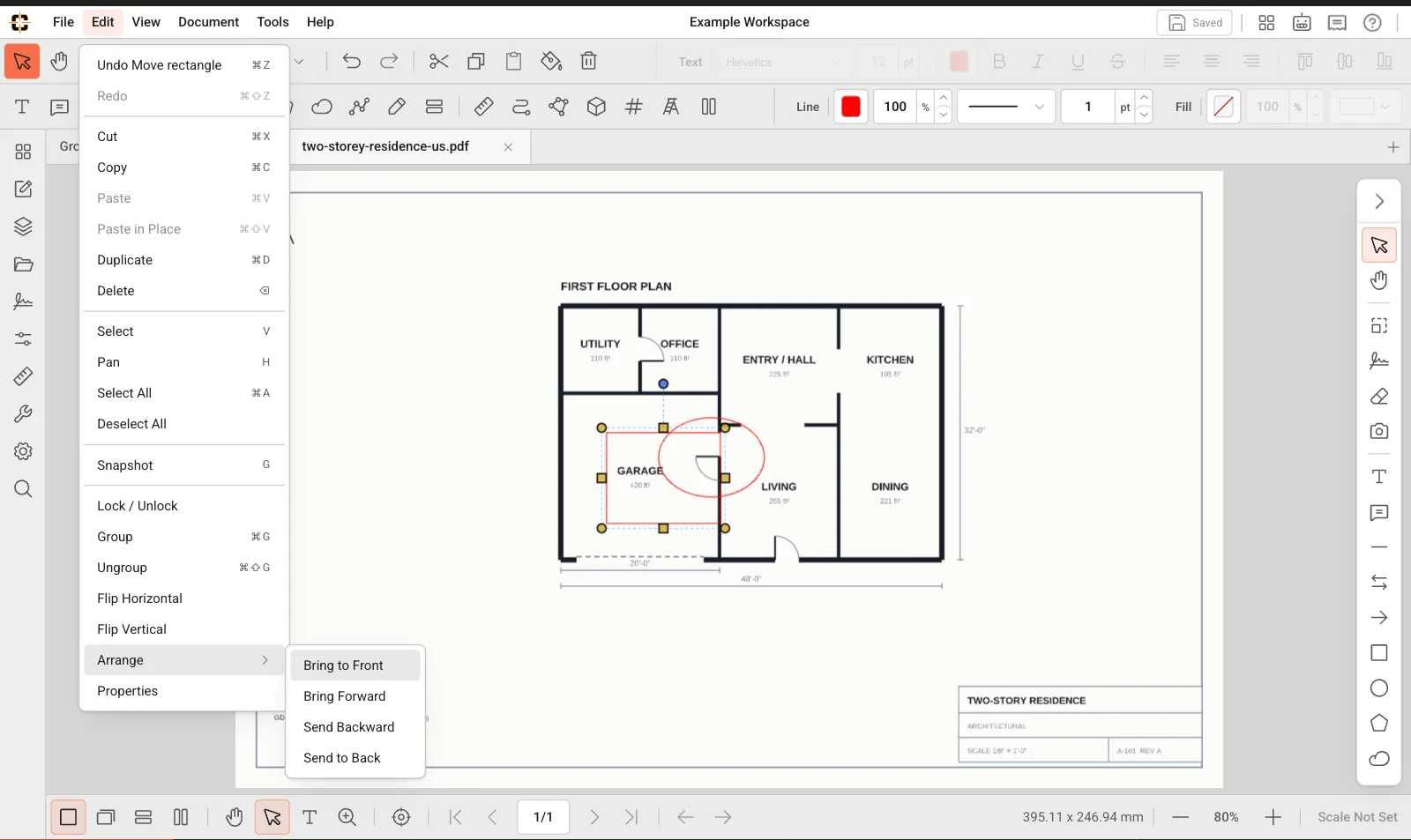
Use bring forward, send backward, bring to front, and send to back for overlapping markups.
Change order
- 1
Open Layers
Open the Layers panel from the sidebar rail.
- 2
Select a markup
Click the object on the drawing or select it in the layer stack.
- 3
Choose an order action
Use bring to front, bring forward, send backward, or send to back.
When order matters
Order matters when transparent fills, large shapes, or clouds overlap text, measurements, signatures, or count markers.
Related topics
Related product guides
These broader guides explain how this support workflow fits ContractorCounter's markup, measurement, takeoff, and export toolset.
Still stuck?
Tell us what you're trying to do and we'll help you get there.