Bluebeam for iPad: the Browser Alternative
Revu is a Windows desktop app, while Bluebeam also offers web and iOS tools. ContractorCounter gives you a browser-based alternative on iPad: mark up with Apple Pencil, measure to scale and count fixtures, then carry the quantities into a quote.
Free account. No card required.
Exports and sharing require a paid plan or eligible card-required trial.
Drawings on your tablet
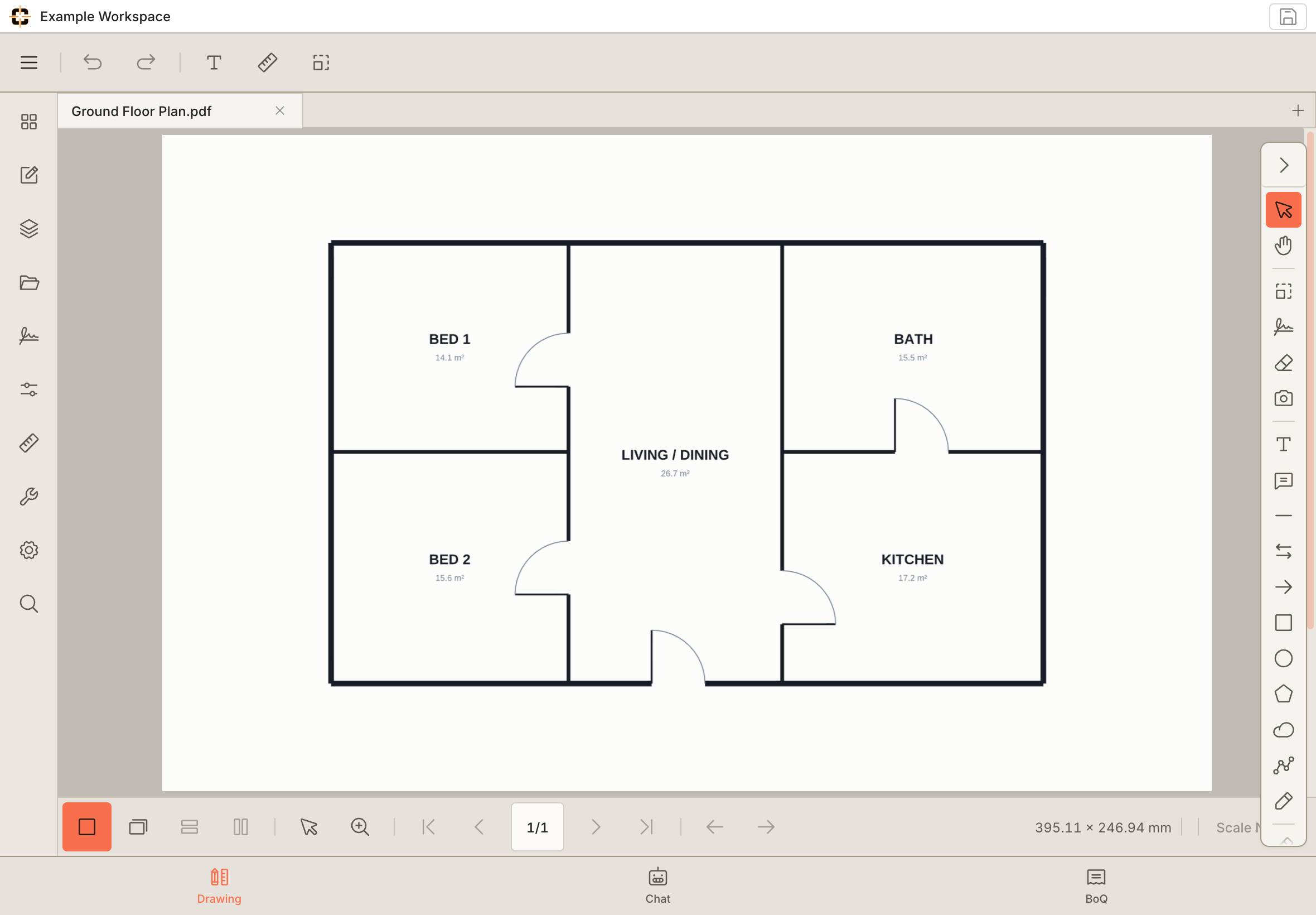
From the desk to the job site.
A bigger view of the detail.
Review the plan in a touch-friendly workspace.
Example workspace · tablet capture
Bluebeam vs ContractorCounter
Compare the workflow, access and costs that matter to your team. The right choice depends on how you work.
| Category | ContractorCounter | Bluebeam |
|---|---|---|
| Best fit | Subcontractors and small teams taking drawings through quantities, rates and quotes. | AEC teams that need the full desktop Revu toolset and Studio ecosystem. |
| Price | Free account; Pro US$14/month; Team US$10/seat per month; Lifetime US$249 one-time. | US$260–$590 per user per year (Basics / Core / Complete / Max, 2026 list pricing); no free tier. |
| Free access and trial | First workspace free without a card. An eligible Pro or Team trial requires a card and unlocks exports and sharing. | 14-day free trial, no credit card required; paid plans to continue. |
| Platforms | Any modern browser: Windows, macOS, iPad. No install. | Revu is a Windows desktop app; Bluebeam also offers web and mobile tools with different capabilities. |
| Workflow | Open drawings, mark up issues, measure, count, and export clean PDFs. | Deep PDF editing, tool chests, markups list, studio sessions, and enterprise standards. |
| Takeoff to quote | Measurements and counts feed a live Bill of Quantities that flows into multi-version quotes. | Measurement and takeoff tools; pricing happens in separate estimating software. |
| Collaboration | Real-time workspace sharing on every paid plan: invite by email or link, mark up the same drawings together with live cursors and presence — right in the browser. | Studio sessions and projects for large-team, document-control collaboration. |
| Setup | Web workspace for lightweight contractor review: sign up and open a drawing. | Desktop-led install with broader configuration depth. |
01
Real markup on the iPad, not a viewer
Annotate the actual plan with stylus or touch (callouts, clouds, counts, and calibrated measurement), the same workflow you would run on a Mac or desktop, on the same drawing. The PDF markup app for iPad page covers the Apple Pencil workflow in more detail.
02
Installs like an app
Add it to the iPad home screen and it opens full-screen, no browser chrome. Pick a plan up on the iPad in the field and reopen it on the desktop in the office. It is one browser-based Bluebeam alternative, not separate apps.
03
No VM, no per-seat desktop license
Use the browser on the device you already have, with no Windows installation required. Start your first workspace free; Pro is US$14/month. Compare Bluebeam’s iOS and web capabilities separately from desktop Revu.
See whether it fits your next job.
Start with your own drawing and check the workflow.
Sources behind this comparison
Every competitor price on this page was read from that vendor's own published pricing page on the date shown, not from a third-party roundup. Our own prices come from our pricing page.
- Reviewed
- Review owner
- ContractorCounter editorial team
Vendor list pricing changes without notice and regional pricing may differ. Check the linked pages before making a decision on price alone.
Try the tools on a real drawing.
Explore the example below, or take over the workspace and try it yourself. No signup needed for this demo.
Questions about Bluebeam for iPad
Does Bluebeam Revu work well on an iPad?
Desktop Revu runs on Windows, but Bluebeam also offers iOS and web tools for markup, measurement and collaboration. Check its platform matrix for your workflow. ContractorCounter runs in the iPad browser and connects reviewed quantities to a Bill of Quantities and quote without a Windows install.