Blueprint App for iPad, Built for Construction
Open and mark up blueprints on the iPad: ContractorCounter is a browser-based blueprint app with Apple Pencil markup, calibrated measurement, and counts. It is a tool that understands construction drawings, not a generic PDF viewer.
Free account. No card required.
Exports and sharing require a paid plan or eligible card-required trial.
Drawings on your tablet
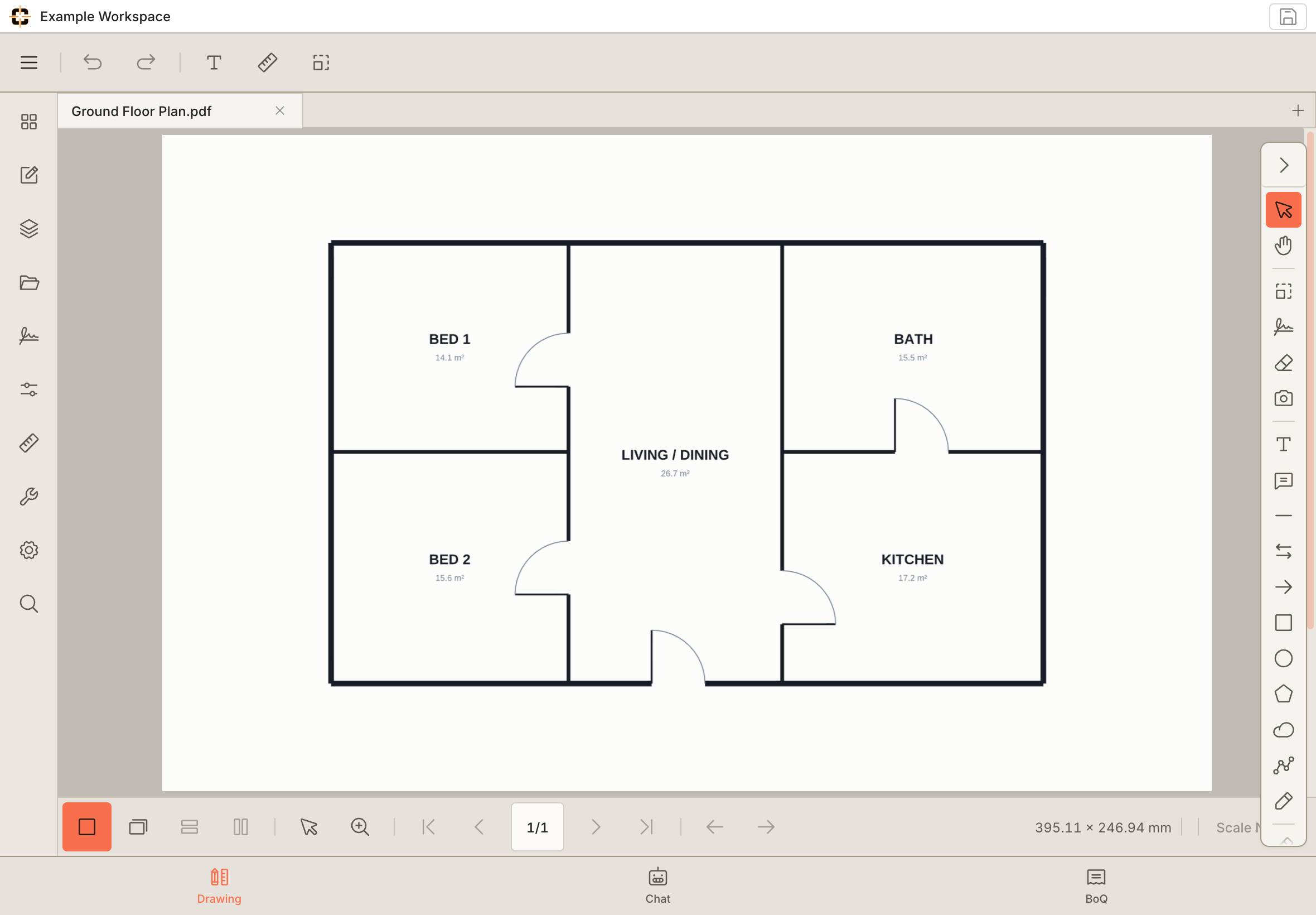
From the desk to the job site.
A bigger view of the detail.
Review the plan in a touch-friendly workspace.
Example workspace · tablet capture
01
Read and mark up the real blueprint
Pan and zoom large plan sheets, then annotate with stylus or touch (callouts, clouds, stamps, counts, and calibrated measurement), the same drawing markup workflow as on desktop.
02
Measure blueprints to scale on the tablet
Calibrate the sheet once and measure lengths and areas to scale from the iPad, the part generic blueprint viewers on tablets leave out.
03
Installs to the home screen
Add it to the iPad home screen and it opens full-screen like an app. Mark up on the iPad on site, reopen the same blueprint on the desktop: one browser workspace, no re-importing.
04
Why big blueprint sets don't choke the tablet
Full-size plan sheets are where tablet blueprint apps usually fall over, so the rendering is engineered for them: drawing files upload at up to 500 MB, heavyweight sheets render server-side into map-style tiles so the iPad streams only the region on screen instead of decoding the whole sheet, and on memory-constrained tablets the canvas resolution is deliberately capped at 2× pixel density to stay inside Safari's memory limits rather than crash past them. Pre-rendering covers sets up to 1,000 pages, so the second open of a big set is fast.
See whether it fits your next job.
Start with your own drawing and check the workflow.
Try the tools on a real drawing.
Explore the example below, or take over the workspace and try it yourself. No signup needed for this demo.
Questions about Blueprint app for iPad
Is this a free blueprint app for iPad?
Start your first workspace with a free account and no card on your iPad: blueprint markup, calibration, measurement, counts and a Bill of Quantities. Exports and sharing require a paid plan or eligible card-required trial. Use the browser; adding a Home Screen shortcut is optional.